|
The
Tools and the Talent
Wild
9 was originally targeted at two platforms; the Sony PlayStation
and the Sega Saturn. We eventually dropped the Saturn version, much
to the disappointment of many Sega fans worldwide. Still, our original
plan influenced the technical side of the project throughout the course
of the game’s development.
Characters
and levels in the game were modeled in 3D Studio Max and then exported
using a proprietary plug-in that Malachy Duffin wrote. In order to account
for both platforms, Malachy first wrote the export plug-in to handle
both output formats, and the scripts that drove the export process contained
lines referring to both the PlayStation and the Saturn. When we dropped
the Saturn version, half of the data in these scripts became obsolete;
from that point on, only the PlayStation side continued to evolve.
The export
plug-in handles the character’s geometry, which is stored as a certain
number of limbs, and animation, which is stored as translation and rotations
of those limbs. This system has a small memory footprint while remaining
flexible enough for our purposes. (We didn’t use single skin meshes
in the game because the on-screen size of our characters would have
rendered this refinement invisible.) One of the game engine’s features
was the ability to hide and unhide specific limbs, which was pretty
handy in optimizing the game’s rendering time. One of the tricks we
used was to produce multiple level of detail (LOD) models of certain
objects, and store those LODs as separate limbs within the same character
file. We could then hide and unhide LOD limbs depending on an object’s
distance from the viewpoint; once again, the small size of our objects
on the screen made the popping from one LOD to another minimal.
 |
|
One
of the tricks Wild 9 used was to produce multiple level
of detail models of certain objects, and store those LODs as separate
limbs within the same character file.
|
The levels
and characters also contain various invisible bits of information, such
as trigger points, reference points, and collision boxes. A level’s
trigger points generate monsters and powers ups. A model’s reference
points provide anchors for multiple effects. If a character, such as
the alien beast in the Beast Engine level, has smoke coming out of its
nostrils, then these will be generated from a reference point placed
on the character model. The reference point can be hidden and shown
according to a visibility track placed in the model’s animation in 3D
Studio Max, which makes editing them simple. Of course, things are never
too simple. We encountered some problems toward the end of the project
when time came to get the PAL version of Wild 9 going. The game’s
final level, which features an encounter between Wex and Karn, involves
Karn trying to catch up to a running Wex. Because Karn is such an imposing
fellow, his footsteps generate a puff of smoke and a loud bang; we generated
these footsteps with reference points placed on Karn’s feet. A problem
arose with the PAL version because the animations played at a different
speed to compensate for the 50Hz frame rate. Some of the reference points
were skipped altogether, and Karn would appear to limp as only one leg
would make a sound. We solved this problem by making the reference points
active for multiple frames and preventing the game engine from processing
those two frames in a row. If one reference point was skipped, we were
sure to catch at least one another from the same group. It wasn’t a
very elegant solution, but it served its purpose late in the project.
All in
all, 3D Studio Max was a decent editing environment for Stuart Roch,
Lori Perkins, and Rich Neves to work with, although a dedicated editor
would probably have been better in some cases. 3D Studio Max offered
near-total layout freedom, but was lacking in the ease-of-use department,
considering that we weren’t even using a tenth of its features for our
level-building and real-time character purposes. One feature that was
very useful to us, however, was the user-defined properties it allows
you to input for each object. By including a lot of keywords and properties
within each game object, we could easily pass on the information that
the export plug-in needed to and process its output accurately and efficiently.
My assignment
for the project was to program the game’s intermediate levels, which
consisted of jetbike races chasing bad guys in various landscapes, falling
down a huge tube trying to avoid projectiles, and the game’s final encounter
between Wex and Karn.
 |
|
The
tools and the game engine also allowed for animated textures and
particles to be used extensively in Wild 9.
|
The tools
and the game engine also allowed for animated textures and particles,
which the team’s artists used extensively. Jean-Michel Ringuet used
animated textures in the Crystal Maze level, for example, to give crystals
a extremely realistic glow. Erik Drageset provided levels such as Drench,
which featured a series of multiple water falls and water effects —
it had us all in awe the first time we saw it. In the meantime, Lloyd
Murphy was working on Wreckage with the secret intention of making it
the most graphically intensive level in the whole game. He kept that
record to the end of the project with only a few kilobytes of memory
and a few bytes of video memory left when this level was running. However,
toward the end of the project, when we’d add a game element that would
appear on all the levels (such as the in-game information panel), Wreckage
would be the first level to break and run out of memory. We used the
particle system extensively throughout the game for explosions and various
pyrotechnics. Here too, unexpected usage of the particle system proved
very effective in the Drench level, where raindrops fall and create
very realistic ripples into the water — all done using different types
of particles.
Two factors
led to the literal flourishing of particles everywhere in the game.
Gregg Tavares, who started as a programmer but left the project midway
through development, added the ability to create and use particles from
inside the game’s scripting language. Furthermore, John Alvarado built
his now famous Particle Studio module. This module allowed us to preview
the effects of the particle system’s many parameters while modifying
them in real-time using the joypad.
These
kinds of tools, together with our scripting language, offered our artists
a creative freedom that paid off for us in a big way; it’s likely to
serve as a model for our future development efforts. Great and unexpected
things resulted when the artists were able to try out new ideas out
without involving the programmers. A typical scene involved a bunch
of programmers looking at the artist’s screen and saying something along
the lines of, "I didn’t know it could even do that."
 |
|
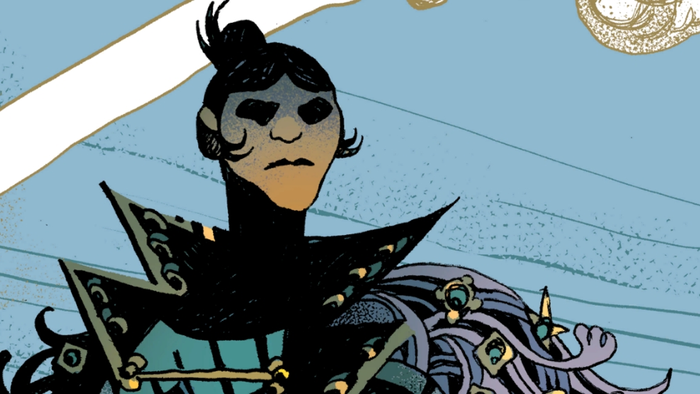
Concept
art for B'Angus
|
On the
other side, every time a task required the programmers’ help, synchronization
became a major problem, with the programmers trying to fit these extra
tasks into an already busy schedule and artists waiting around for a
very long time before they could wrap up their levels. One perfect example
of this was the game’s enemy AI. Even though the artists could place
enemy actors anywhere in their levels, they always needed a programmer
to code at least a place holder AI routine so that the artists could
preview their work. As a solution, we built a test level that we could
use as an object viewer. Artists could drop their models into this test
level to get a preview of what they would look like in their final,
real-time, PlayStation form. While the test level helped, it didn’t
solve completely solve our work synchronization problem. Enemy behavior
still needed to be coded in for the level to be fully tested and polished.
Still,
a really effective solution to many of the problems that we experienced
involved not only extra organization and proper scheduling, but also
better communication. If a programmer is unaware that another team member
is waiting on a certain feature, then the process would end up in a
gridlock situation. So, while the organization we chose worked, it was
never perfect. We used Microsoft Sourcesafe to share code between the
programmers, but the only trusted version of the game was always living
on Gavin James’s computer. Gavin personally made sure that he’d incorporated
every change we made to the game by keeping track of everybody’s progress
and updates. For future projects, we hope to implement some kind of
registry or database where all the game elements can be recorded. Our
hope is that such a system would allow us to better see how changing
some part affects all of the other parts.
Our programmers
developed a scripting language to enable easy implementation of the
characters’ AI. The language is based on a byte code, which is interpreted
in real-time during the game and specifies three main threads for each
character. The intelligence, animation, and movement threads control
the actor’s behavior and also have the ability to spawn additional threads,
if necessary. The scripting language also handles collision events using
a table that contains all the different classes of characters in the
game and the corresponding collision types allowed to occur between
them. The system can thus trivially reject collision tests between objects
that should never collide with each other, such as two static objects.
As Gavin
continued to improve the game engine, we kept extending the scripting,
adding new features and allowing access to just about any low-level
function through C function calls. Though imperfect, the scripting language
was fairly easy to use once all its loopholes were known, and it enabled
faster prototyping than straight C. A testament to the versatility of
the scripting language is the fact that even the menu system that Malachy
wrote is, in fact, treated as a normal game level by the engine. Every
menu item that the players see on the screen is a game actor and the
background is a huge game level.
Progress
Wild
9’s development was divided into two relatively distinct periods
(more on the reasons for this later). The first team that worked on
Wild 9 had most of the game engine written, a few levels started,
and some game play mechanics implemented, but the game itself was not
what we could call playable. When the second team took over, Gavin spend
most of his time cleaning up the engine, while the artists and level
designers focused on finishing one level. This was the long birthing
of Gulag, which took a full two months to finish; more than any other
level in the game.
To the
team’s credit, a second level, called Bombopolis, was started during
the last few weeks of Gulag. Then things started to really snowball.
People were getting used to the tools and the limitations of the engine,
and we spent the remainder of the project making progress at an extremely
scary pace. At this point, the engine was getting pretty stable, and
we were able to start adding new features. Levels started popping out
of nowhere, and before we knew it, we were playing a full-blown game.
|